

Running a business involves more than making sales. Business owners also have to manage stock, employees, customers, suppliers, payments, records, and daily expenses.
As a business grows, handling these activities manually can become difficult. Paper records can be lost, spreadsheets can contain errors, and employees may spend too much time performing repetitive administrative tasks.
This is where a POS system can help.
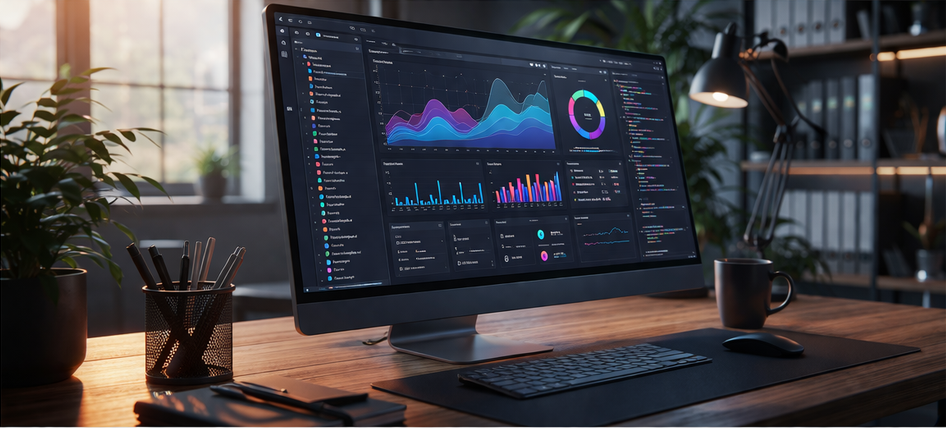
A modern Point of Sale system can do much more than process customer payments. It can help businesses manage sales, inventory, customers, employees, reporting, and other operations from one platform.
For Kenyan businesses looking to improve existing systems, automate operations, or take their business online, a POS system can become an important part of a wider digital strategy.
What Is a POS System?
A POS system is software that helps a business record and manage sales transactions.
When a customer purchases a product or service, the POS system records the transaction and can automatically update related information.
Depending on the solution, it can also manage:
- Inventory
- Product information
- Customer records
- Suppliers
- Employees
- Sales reports
- Receipts
- Branches
- Online orders
For example, a retail shop in Nairobi can use a POS system to record every sale while automatically reducing the quantity of the products sold from its inventory.
This provides a more organised way to manage daily operations.
How Can a POS System Improve My Sales Process?
One of the biggest benefits of a POS system is faster and more organised sales processing.
Instead of manually calculating prices and writing receipts, employees can select products from the system and complete transactions more efficiently.
The system can calculate totals and record the sale automatically.
For a busy shop, supermarket, pharmacy, restaurant, or other business, faster transactions can reduce queues and improve the customer experience.
Employees can spend less time handling paperwork and more time serving customers.
Can a POS System Help Me Manage Stock?
Yes.
Inventory management is one of the most useful functions of POS software.
When a product is sold, the system can automatically update the stock level.
For example, if a clothing shop has 30 pairs of shoes and sells four, the POS system can update the available quantity to 26.
This gives the business better visibility into its inventory.
It can also help identify products that are selling quickly and those that have remained in stock for too long.
For businesses with many products, this can make stock management significantly easier.
How Can a POS System Reduce Stock Problems?
Poor stock management can lead to several problems.
A business may run out of popular products, purchase too much slow-moving stock, or discover differences between physical stock and recorded quantities.
A POS system helps reduce these challenges by keeping transaction and inventory records connected.
Businesses can also use low-stock alerts to identify products that may need to be reordered.
For example, a supermarket can set a minimum stock level for certain products. When the quantity reaches that level, the system can alert the relevant employee.
This supports better purchasing decisions.
Can a POS System Help Me Understand My Business Performance?
Yes.
Business owners need accurate information to make good decisions.
A POS system can generate reports showing information such as:
- Daily sales
- Weekly sales
- Monthly sales
- Best-selling products
- Slow-moving products
- Sales by employee
- Sales by branch
- Inventory levels
- Transaction history
Instead of spending hours calculating figures manually, management can access information from the system.
For example, a business owner can compare sales for different periods and identify changes in customer demand.
This makes business planning more informed.
How Can a POS System Save Time?
Manual administrative work can consume a significant amount of time.
Employees may need to write receipts, update spreadsheets, count transactions, calculate totals, and prepare reports.
A POS system can automate many of these activities.
When a sale is completed, the transaction is recorded automatically. Inventory can be updated at the same time, and the information can be included in business reports.
This reduces repetitive work and allows employees to focus on more productive activities.
For a small business with limited staff, saving time can have a noticeable impact on productivity.
Can a POS System Improve Customer Experience?
Yes.
Customers expect businesses to provide quick and accurate service.
Long queues, incorrect prices, unavailable products, and slow transactions can create frustration.
A POS system helps employees access product information quickly and process transactions more efficiently.
It can also store relevant customer information where appropriate.
For example, a business that regularly serves repeat customers can use customer records to understand purchasing patterns and provide more personalised service.
Better service can help businesses build stronger customer relationships.
Can a POS System Help With Employee Management?
It can.
POS software can record which employee processes each transaction.
This provides management with better visibility into sales activity.
Depending on the system, business owners can also assign different permissions to different employees.
For example, a cashier may be allowed to process sales but not change product prices or delete completed transactions.
A manager may have additional permissions to access reports or approve specific adjustments.
This improves accountability and can help protect the business from unauthorised changes.
Can a POS System Help Me Take My Business Online?
Yes.
Many Kenyan businesses are expanding beyond physical stores and beginning to sell through websites, social media, and e-commerce platforms.
However, managing physical and online sales separately can create problems.
Imagine a clothing shop selling the same products in its physical store and online.
If the two systems do not share inventory information, the business may accidentally sell an item online that has already been sold in the shop.
A POS system can be integrated with an online store to help keep sales and inventory information connected.
This makes it easier to manage both physical and digital operations.
Can a POS System Connect With Other Business Systems?
Yes.
A POS system does not have to operate independently.
It can form part of a larger digital business environment.
For example, it can connect with:
- ERP systems
- CRM systems
- Inventory management software
- Accounting applications
- E-commerce platforms
- Customer portals
- Reporting tools
An ERP system can connect sales with purchasing, inventory, finance, and other operations.
A CRM can help businesses manage customer information and relationships.
These integrations can reduce duplicated data entry and improve overall efficiency.
Can a POS System Help Automate My Business?
Yes.
Business automation is about using technology to reduce repetitive manual processes.
A POS system can automate activities such as:
- Recording sales
- Updating inventory
- Generating receipts
- Creating sales reports
- Sending stock alerts
- Tracking transactions
- Recording customer purchases
This allows employees to spend less time on administrative work.
For example, instead of manually checking which products are running low every evening, the system can provide stock information automatically.
Is a Cloud-Based POS System Useful for a Growing Business?
It can be.
Cloud technology provides greater flexibility for businesses that need to access information from different locations.
For example, a business owner with branches in Nairobi and Mombasa may want to monitor sales without visiting each location.
A cloud-based system can provide authorised users with access to relevant business information.
Cloud application development can also support scalability as the business adds more users, branches, products, and transactions.
Security should still be a priority, with appropriate access controls, authentication, backups, and secure data management.
Can a POS System Improve Business Security?
Yes.
A properly designed POS system can help protect business information through controlled access and user permissions.
Instead of allowing every employee to access every function, the system can limit access according to responsibilities.
For example, sales staff can process transactions while managers can access financial reports and administrators can manage system settings.
Activity records can also make it easier to identify changes or unusual transactions.
This improves accountability and helps businesses manage sensitive information more carefully.
Can a POS System Help My Business Grow?
Yes.
A POS system can provide a foundation for more advanced digital operations.
A small retail business may begin with sales and inventory management.
As the business grows, it may add multiple branches, an online store, CRM, ERP, customer loyalty features, or other integrations.
A scalable solution can support this growth without requiring the business to completely replace its digital systems.
This is why it is important to think about future requirements when choosing POS software.
Why Choose Simpat Systems for POS and Digital Solutions?
Simpat Systems is an experienced and reliable technology company in Kenya specialising in web application development, cloud application development, custom software development, business automation, ERP, CRM, and other digital solutions.
The right technology solution should be based on the actual needs of the business.
A small shop may need straightforward sales and inventory management, while a growing distributor may require POS, warehouse management, CRM, ERP, and online ordering capabilities.
Simpat Systems can help businesses develop practical digital solutions that support efficiency, productivity, flexibility, scalability, security, and improved customer experience.
The aim is to use technology to solve real business challenges rather than adding unnecessary complexity.
What Should I Consider Before Getting a POS System?
Before choosing a POS system, consider your current operations and future plans.
Ask yourself:
- What problems am I trying to solve?
- How many products do I manage?
- How many employees will use the system?
- Do I have multiple branches?
- Do I want to sell online?
- Do I need inventory management?
- Will I need ERP or CRM integration?
- Can the system grow with my business?
- How will my business data be protected?
Answering these questions can help you choose a solution that provides genuine value.
Frequently Asked Questions
1. How can a POS system help my business?
It can help manage sales, inventory, customers, employees, reporting, and other operations while reducing manual work and improving efficiency.
2. Can a POS system manage inventory?
Yes. Many POS systems automatically update stock when products are sold and provide information about available and low-stock items.
3. Can a POS system help my business sell online?
Yes. A POS system can be integrated with an online store to connect physical and online sales and improve inventory visibility.
4. Is a POS system suitable for a small business?
Yes. Small businesses can benefit from faster transactions, better stock control, automated reporting, and improved record keeping.
5. Can a POS system be customised?
Yes. Custom software development can create a POS solution that matches specific business processes and integrates with other systems.
Ready to Improve Your Business Operations?
A POS system can do much more than process payments. It can help your business improve sales management, control inventory, automate repetitive tasks, understand performance, and provide better customer service.
If you want to modernise your business, connect your physical and online operations, or develop a system tailored to your specific requirements, Simpat Systems can help.
From POS software and business automation to cloud applications, ERP, CRM, and custom software development, the right digital solution can help your business operate more efficiently and prepare for future growth.
Contact Simpat Systems today for professional digital solutions and a free quote.
Call/WhatsApp: +254 710 196387
Email: simpat@simpatsystems.co.ke
-
Previous Post
How Much Does a POS System Cost in Kenya?
-
Next Post
Retail Management System Kenya